#!/bin/bash
# Author: Matt Mastracci (matthew@mastracci.com)
# AppleScript from http://stackoverflow.com/questions/4309087/cancel-button-on-osascript-in-a-bash-script
# licensed under cc-wiki with attribution required
# Remainder of script public domain

osascript -e 'tell application "iTerm2" to version' > /dev/null 2>&1 && NAME=iTerm2 || NAME=iTerm
if [[ $NAME = "iTerm" ]]; then
	FILE=$(osascript -e 'tell application "iTerm" to activate' -e 'tell application "iTerm" to set thefile to choose folder with prompt "Choose a folder to place received files in"' -e "do shell script (\"echo \"&(quoted form of POSIX path of thefile as Unicode text)&\"\")")
else
	FILE=$(osascript -e 'tell application "iTerm2" to activate' -e 'tell application "iTerm2" to set thefile to choose folder with prompt "Choose a folder to place received files in"' -e "do shell script (\"echo \"&(quoted form of POSIX path of thefile as Unicode text)&\"\")")
fi

if [[ $FILE = "" ]]; then
	echo Cancelled.
	# Send ZModem cancel
	echo -e \\x18\\x18\\x18\\x18\\x18
	sleep 1
	echo
	echo \# Cancelled transfer
else
	cd "$FILE"
	/opt/homebrew/bin/rz --rename --escape --binary --bufsize 4096
	sleep 1
	echo
	echo
	echo \# Sent \-\> $FILE
fi
#!/bin/bash
# Author: Matt Mastracci (matthew@mastracci.com)
# AppleScript from http://stackoverflow.com/questions/4309087/cancel-button-on-osascript-in-a-bash-script
# licensed under cc-wiki with attribution required
# Remainder of script public domain

osascript -e 'tell application "iTerm2" to version' > /dev/null 2>&1 && NAME=iTerm2 || NAME=iTerm
if [[ $NAME = "iTerm" ]]; then
	FILE=$(osascript -e 'tell application "iTerm" to activate' -e 'tell application "iTerm" to set thefile to choose file with prompt "Choose a file to send"' -e "do shell script (\"echo \"&(quoted form of POSIX path of thefile as Unicode text)&\"\")")
else
	FILE=$(osascript -e 'tell application "iTerm2" to activate' -e 'tell application "iTerm2" to set thefile to choose file with prompt "Choose a file to send"' -e "do shell script (\"echo \"&(quoted form of POSIX path of thefile as Unicode text)&\"\")")
fi
if [[ $FILE = "" ]]; then
	echo Cancelled.
	# Send ZModem cancel
	echo -e \\x18\\x18\\x18\\x18\\x18
	sleep 1
	echo
	echo \# Cancelled transfer
else
	/opt/homebrew/bin/sz "$FILE" --escape --binary --bufsize 4096
	sleep 1
	echo
	echo \# Received "$FILE"
fi
1
sudo chmod 777 /usr/local/bin/iterm2-*
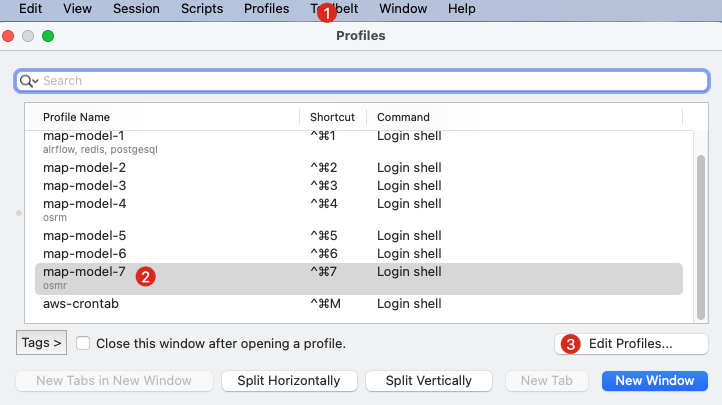
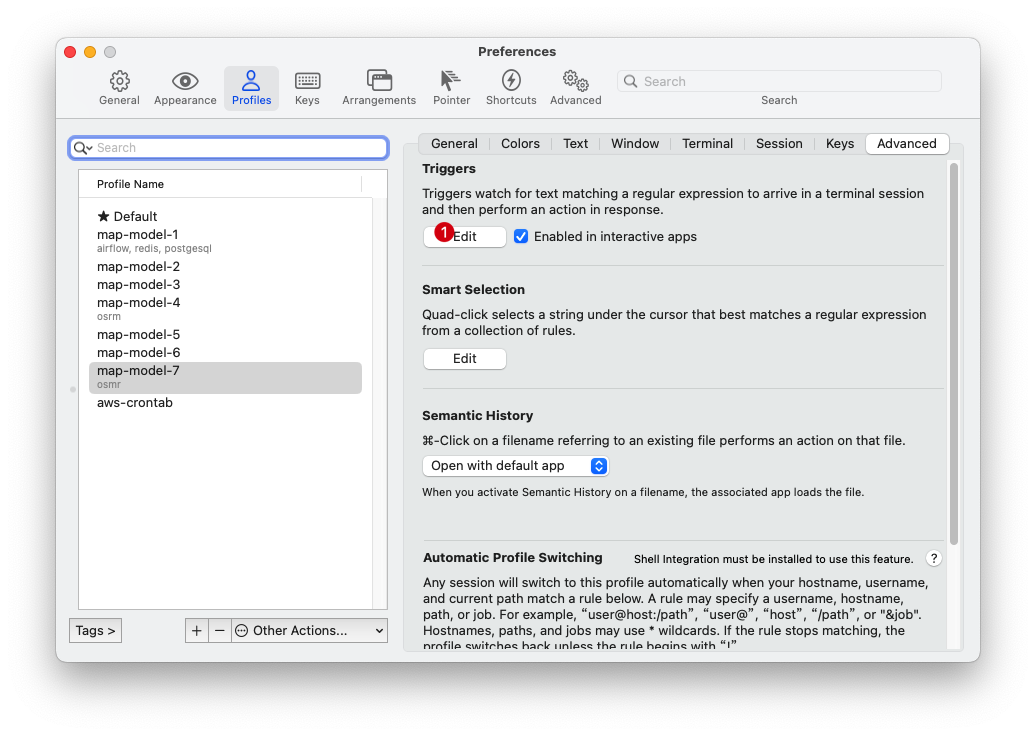
ste4: 配置 iterm2
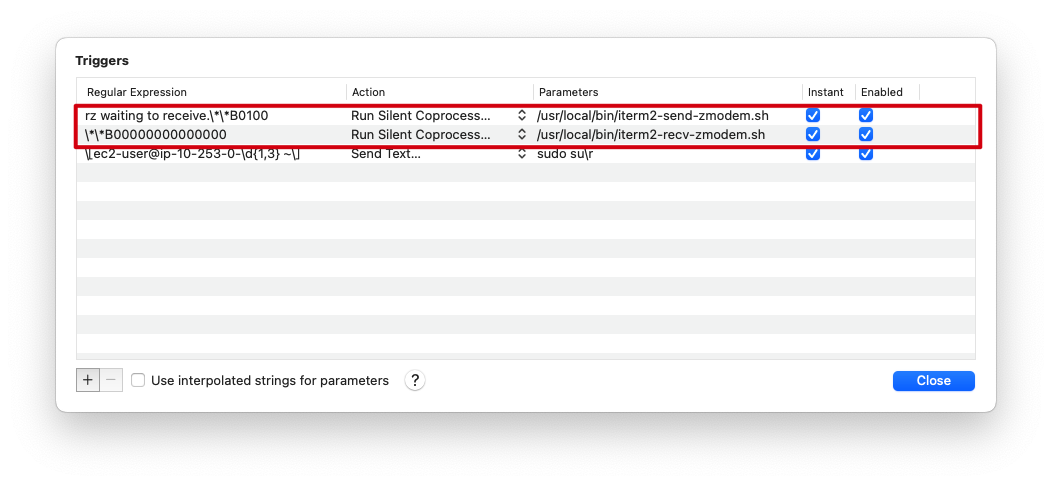
规则为
1
2
rz waiting to receive.\*\*B0100
\*\*B00000000000000